gratools get_segments_by_depth
Extract lists of segments based on their sharing frequency across samples.
This command identifies segments that fall within a specific “sharing range”. It is the primary tool for isolating different pangenome compartments:
Private Segments: Found in only one sample (Depth = 1).
Core Segments: Shared by the vast majority of samples (e.g., > 95%).
Accessory Segments: Found in a specific frequency range.
🛠️ Options
🛠️ View Command Line Options
$ gratools get_segments_by_depth
Welcome to GraTools version: '1.2.0.dev19'
@author: GraTools team's
        ____                 __________               ____
      6MMMMMb/               MMMMMMMMMM               `MM
     8P    YM               /   MM     \               MM
    6M      Y ___  __    ___    MM   _____     _____   MM   ____
    MM        `MM 6MM  6MMMMb   MM  6MMMMMb   6MMMMMb  MM  6MMMMb\
    MM         MM69 " 8M'  `Mb  MM 6M'   `Mb 6M'   `Mb MM MM'    `
    MM     ___ MM'        ,oMM  MM MM     MM MM     MM MM YM.
    MM     `M' MM     ,6MM9'MM  MM MM     MM MM     MM MM  YMMMMb
    YM      M  MM     MM'   MM  MM MM     MM MM     MM MM      `Mb
     8b    d9  MM     MM.  ,MM  MM YM.   ,M9 YM.   ,M9 MM L    ,MM
      YMMMMM9  _MM_   `YMMM9'Yb_MM_ YMMMMM9   YMMMMM9 _MM_MYMMMM9
        \                                    /                /
        /''A''\          /''''''\           /     /''''A'''''\
  ...GC|       |..ATG...C...CG...T....TAG..'..GC.|            |...
        \..C../      \.............../            \...TATA.../

Please cite our gitlab: https://forge.ird.fr/diade/gratools.git\

Usage: gratools get_segments_by_depth [OPTIONS]
Aliases: depth

  This command generates a list of segments (also called nodes) that are shared
  by a given range of  samples (number). This range can be defined as an
  absolute number of individuals or through a percentage of the total embedded
  GFA samples. For instance, when providing as a percentage: --input-as-
  percentage --lower-bound 90 --upper-bound 100 will list core segments.  When
  providing absolute numbers e.g.: --input-as-number --lower-bound 0 --upper-
  bound 2 will list segments found in none, 1, or 2 individuals. An optional
  length filter can be applied to remove segment of a size lower than the
  filter.  Output will be sent to the terminal or a CSV file if specified. This
  function relies on a pre-existing GraTools import.

  For more details, see the full documentation:
  https://gratools.readthedocs.io/en/latest/commands/get_segments_by_depth.html

Segment Recovery by Depth Options:
  -g, --gfa PATH
     Path to the input GFA file (e.g., myGraph.gfa or myGraph.gfa.gz).
     [required]

  -o, --outdir DIRECTORY
     Output directory for GraTools results. If not specified, results are
     typically placed in a subdirectory within the GFA file's parent directory
     (e.g., 'GraTools-output_<gfa_name>').

  -su, --suffix TEXT
     Custom suffix to append to output filenames. If not provided, a default
     suffix will be generated based on the command line parameters.

  --input-as-number / --input-as-percentage
     Define if --lower-bound and --upper-bound are absolute numbers or
     percentages.  [required]

  -lb, --lower-bound TEXT
     Lower bound of the depth interval (inclusive).  [required]

  -ub, --upper-bound TEXT
     Upper bound of the depth interval (inclusive).  [required]

  -fl, --filter-len INTEGER
     Minimum segment length (bp) to be considered. A value of 0 means no length
     filter.  [default: 0]

  --save-to-file / --display-to-terminal
     Save results to a CSV file instead of displaying to the terminal.
     [default: save-to-file]

Logging Options:
  -vv, --verbosity [DEBUG|INFO|ERROR]
     Set the logging verbosity level.  [default: INFO]

  -l, --log-path DIRECTORY
     Directory where the log files will be saved. If not specified, logs will be
     placed in the main output directory (or in a default GraTools log
     location).

Performance Options:
  -t, --threads INTEGER
     Number of threads to be used for parallelizable operations.  [default: 1]

Other options:
  -h, --help
     Show this message and exit.
▶️ Usage Examples
Rare Segments Extraction
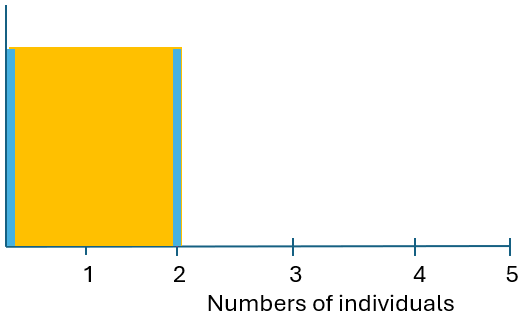
This example finds all segments shared by 2 or fewer individuals.
$ gratools get_segments_by_depth -g Og_cactus.gfa.gz \
    --input-as-number --lower-bound 0 --upper-bound 2
|  INFO     | Parameters: lower=0; upper=2; filter_len=0
|  INFO     | Number of segments found: 891345
Core Segments Extraction
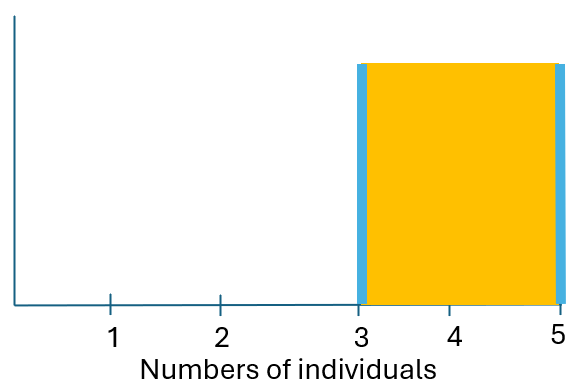
Identify segments present in almost all samples and print them to the terminal.
$ gratools get_segments_by_depth -g Og_cactus.gfa.gz \
    --input-as-percentage \
    --lower-bound 95% --upper-bound 100% \
    --display-to-terminal
|  INFO     | Parameters: lower=95.0%; upper=100.0%
|  INFO     | Segments found: 660741
⚙️ How It Works
Absolute Numbers (--input-as-number):
Uses exact sample counts.
Example: --lower-bound 4 --upper-bound 5 finds segments in exactement 4 ou 5 samples.
Relative Percentages (--input-as-percentage):
Uses frequency thresholds.
Example: --lower-bound 0% --upper-bound 20% finds rare segments.
The --filter-len (-fl) option allows you to ignore small polymorphisms.
By setting a minimum length, you exclude “noise” (short segments) to extract only significant genomic sequences that represent structural conservation or variation.
By default, this command generates a CSV file, which is optimized for large results (millions of segments). Use --display-to-terminal only for quick checks or when you expect a very specific, small subset of segments.
📑 Quick Links
Command Import: gratools import
Related Stats: gratools depth_nodes_stat
Workflow Guide: 📦 Installation