gratools get_segments_by_depth
This command lists or saves segments (nodes) that are shared by a number of samples falling within a specific range (e.g., core segments shared by >95% of samples, or private segments found in only one sample). The range can be defined either by absolute numbers of samples or by percentages.
Options
Usage Examples
List core segments (by percentage) and display them in the terminal
This example identifies core segments, defined as those present in 95% to 100% of the samples, and prints the list directly to the terminal instead of saving it to a file.
$ gratools get_segments_by_depth -g Og_cactus.gfa.gz \
    --input-as-percentage --lower-bound 95% --upper-bound 100% --display-to-terminal

|  INFO     | Parameters: lower=95.0%; upper=100.0%; filter_len=0
|  INFO     | Segments found: 660741
Segment
5
6
7
...
Illustrated Example
Understanding the Process
Input Mode: The user must specify whether the bounds are numbers or percentages. - With
--input-as-percentage, you can specify--lower-bound 0% --upper-bound 20%to get a list of segments found in 20% or fewer of the samples. - With--input-as-number, you specify the exact lower and upper bounds for the number of individuals sharing the segments.Get Core Genome Segments: The command
get_segments_by_depth --input-as-number --lower-bound 4 --upper-bound 5will extract a list of segments shared by exactly 4 or 5 individuals.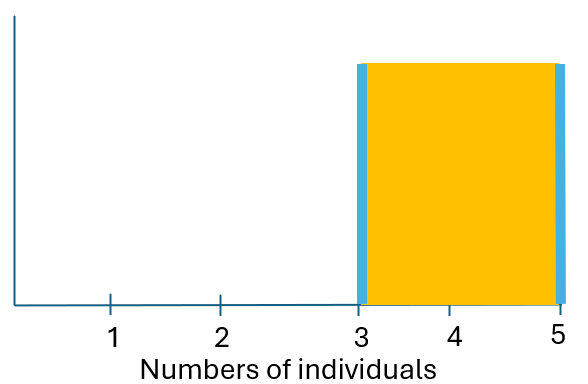
Get Dispensable Genome Segments: The command
get_segments_by_depth --input-as-number --lower-bound 0 --upper-bound 2will extract segments shared by 0, 1, or 2 individuals.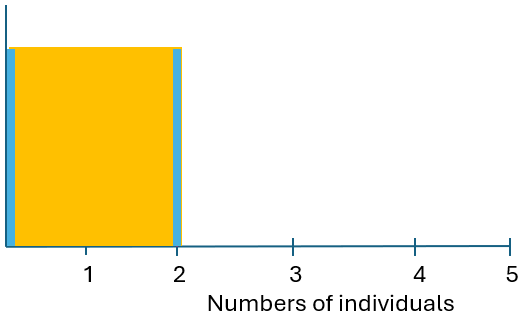
Length Filter: The
--filter-len(-fl) option applies a filter to only include segments that are longer than the specified integer value.